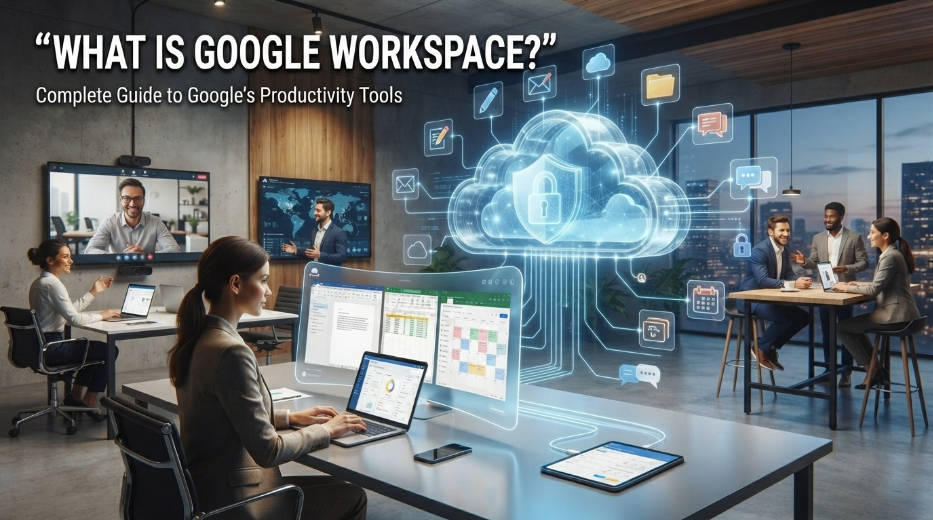
If you are wondering what is Google Workspace, it is Google’s cloud-based productivity and collaboration platform designed for businesses, schools, organizations, and individuals. It brings familiar tools such as Gmail, Google Drive, Google Docs, Google Sheets, Google Meet, Google Calendar, and Google Chat together under one connected environment.
Understanding what is Google Workspace is useful for anyone who wants to manage email, documents, meetings, files, and teamwork from the cloud. Instead of depending entirely on locally installed software, users can access many Workspace services through a web browser or supported apps.
What Is Google Workspace Used For?
When explaining what is Google Workspace, the simplest answer is that it provides a collection of online productivity tools that work together. Google describes Workspace as a suite designed to help people connect, create, and collaborate.
A business might use Gmail for professional email, Drive for cloud storage, Docs for writing, Sheets for spreadsheets, Meet for video meetings, and Calendar for scheduling. Because these services are connected, users can move between tasks without constantly switching to unrelated platforms.
The cloud-based design is especially useful for teams working from different locations. Employees can access their files and collaborate from computers, tablets, or smartphones with an internet connection and appropriate account permissions.
Google Workspace vs. Personal Google Accounts
One common source of confusion when asking what is Google Workspace is the difference between Workspace accounts and ordinary personal Google accounts.
A personal Google account can provide access to services such as Gmail, Google Drive, Docs, Sheets, and Meet. Google Workspace, however, is designed around organizational management and professional collaboration.
Workspace administrators can manage users, security settings, applications, and organizational policies from an administrative environment. This makes the platform particularly useful for companies and institutions that need centralized control.
A business can also use a custom domain for professional email, allowing employees to communicate through addresses associated with the organization’s domain rather than a generic consumer email address.
Gmail for Professional Email
Gmail is one of the best-known components of Google Workspace. While millions of people use Gmail personally, Workspace provides Gmail capabilities designed for organizational use.
A company can create professional email addresses using its own domain and manage accounts centrally. Administrators can establish security policies and control how accounts are used within the organization.
When considering what is Google Workspace, Gmail is important because email often becomes the starting point for many business workflows. Messages can connect with Calendar events, files in Drive, video meetings, and other Workspace services.
Google Drive and Cloud Storage
Google Drive provides cloud-based storage for documents, images, presentations, videos, PDFs, and other files.
One of the biggest advantages of Drive is accessibility. Rather than keeping important files exclusively on a single computer, users can store them online and access them from supported devices.
Drive also supports sharing and permissions. A user can decide whether another person can view, comment on, or edit a particular file. These controls make Google Drive an important part of the answer to what is Google Workspace and how it supports collaborative work.
Google Docs, Sheets, and Slides
Google Docs, Sheets, and Slides are productivity applications for documents, spreadsheets, and presentations.
Their collaborative features are particularly important. Multiple authorized users can work on the same document and see changes without having to email separate versions back and forth.
This real-time collaboration model helped change the way teams work with business documents. Instead of creating a file, downloading it, editing it, and sending it back, team members can work within a shared online document.
For organizations researching what is Google Workspace, these applications demonstrate why the platform is more than simply a professional email service.
Google Meet for Video Meetings
Google Meet provides video conferencing for online meetings, presentations, discussions, and remote collaboration. Google Workspace integrates Meet with other productivity services, making it easier to schedule and join meetings.
For example, a meeting can be created through Google Calendar and accessed through Meet. Participants can then communicate through video and audio while using other Workspace tools for supporting information.
This integration is particularly useful for hybrid and remote teams that need a consistent communication system.
Google Calendar and Scheduling
Google Calendar helps users organize appointments, meetings, deadlines, events, and work schedules.
In a Workspace environment, calendars can be shared with colleagues, allowing teams to coordinate availability and organize meetings more efficiently.
The connection between Calendar and Meet is another example of how what is Google Workspace can be understood as an integrated ecosystem rather than a collection of unrelated applications.
Google Chat and Team Collaboration
Google Chat provides messaging capabilities for individuals and teams. It can be used for quick conversations, project discussions, and ongoing workplace communication.
For organizations that already use Gmail, Drive, Calendar, Docs, and Meet, having communication tools within the same ecosystem can reduce the need to move between numerous applications.
This integrated approach can make everyday collaboration more convenient, particularly when employees regularly share documents or coordinate meetings.
Google Workspace Security and Administration
Security is an important consideration when understanding what is Google Workspace. Organizations need more than productivity applications; they also need tools for managing accounts and protecting company information.
Google Workspace provides administrative controls for managing users, devices, applications, and security policies. Google also offers security features such as two-step verification and other account protection mechanisms.
The exact security and administrative capabilities available can depend on the Workspace edition and organizational configuration. Businesses should therefore review the features included with their selected plan before making purchasing decisions.
Is Google Workspace Good for Small Businesses?
Google Workspace can be a strong option for small businesses because it combines several everyday business functions within one ecosystem.
A small company can use a custom-domain Gmail account for communication, Drive for shared files, Docs for proposals, Sheets for business data, Calendar for scheduling, and Meet for remote meetings.
This can simplify software management because employees do not necessarily need separate services for every basic productivity requirement.
However, businesses should evaluate their storage needs, security requirements, integrations, budget, and preferred workflows before selecting a specific Workspace edition.
Google Workspace for Remote Work
Remote work is another area where what is Google Workspace becomes especially relevant.
Because many Workspace applications are cloud-based, employees can access shared resources without needing to be physically present in the company’s office. Documents can be edited collaboratively, meetings can take place through Meet, and schedules can be coordinated through Calendar.
This makes Workspace useful for organizations with distributed employees, freelancers, remote departments, and hybrid teams.
The platform does not eliminate every challenge associated with remote work, but it provides a connected foundation for communication and collaboration.
Is Google Workspace the Same as G Suite?
Yes, but the name changed. Google announced the transition from G Suite to Google Workspace in 2020 as part of a broader effort to bring its productivity tools together under one brand.
As a result, older articles may refer to G Suite when discussing services that are now associated with Google Workspace.
This is important when researching what is Google Workspace, because search results can contain information using both names.
Why Businesses Choose Google Workspace
The biggest attraction of Google Workspace is integration. Gmail, Drive, Docs, Sheets, Slides, Meet, Calendar, and Chat can work together within the same organizational environment.
The platform also supports cloud collaboration, allowing teams to work on shared resources without relying exclusively on local files or physical office infrastructure.
For companies already familiar with Google’s consumer services, the learning curve can also be relatively approachable because many of the applications use familiar interfaces.
Conclusion
So, what is Google Workspace? It is Google’s cloud-based productivity and collaboration platform that brings professional email, cloud storage, document creation, spreadsheets, presentations, video meetings, calendars, messaging, and administrative controls into one ecosystem.
Its main strength is not simply the number of applications available. The real advantage comes from how those services connect. Gmail can work with Calendar, Meet can connect with scheduled events, Drive can store Docs and Sheets, and teams can collaborate on shared information in real time.
For small businesses, large organizations, schools, and remote teams, Google Workspace can provide a flexible foundation for modern digital work. The right plan ultimately depends on an organization’s requirements, budget, security expectations, and workflow.
FAQs About Google Workspace
What is Google Workspace in simple words?
Google Workspace is a collection of cloud-based productivity and collaboration tools from Google, including Gmail, Drive, Docs, Sheets, Meet, and Calendar.
Is Google Workspace free?
Google Workspace business editions are generally paid services, although Google offers separate consumer versions of several Workspace applications that can be used with personal Google accounts.
What is Google Workspace mainly used for?
It is mainly used for professional email, cloud file storage, document creation, team collaboration, video meetings, scheduling, and organizational IT management.
Is Google Workspace the same as Gmail?
No. Gmail is an email service, while Google Workspace is a broader platform that includes Gmail along with applications such as Drive, Docs, Sheets, Meet, and Calendar.
Is Google Workspace good for small businesses?
Yes. It can be useful for small businesses that want professional email, cloud storage, collaboration tools, and centralized administration within one platform.
more blog