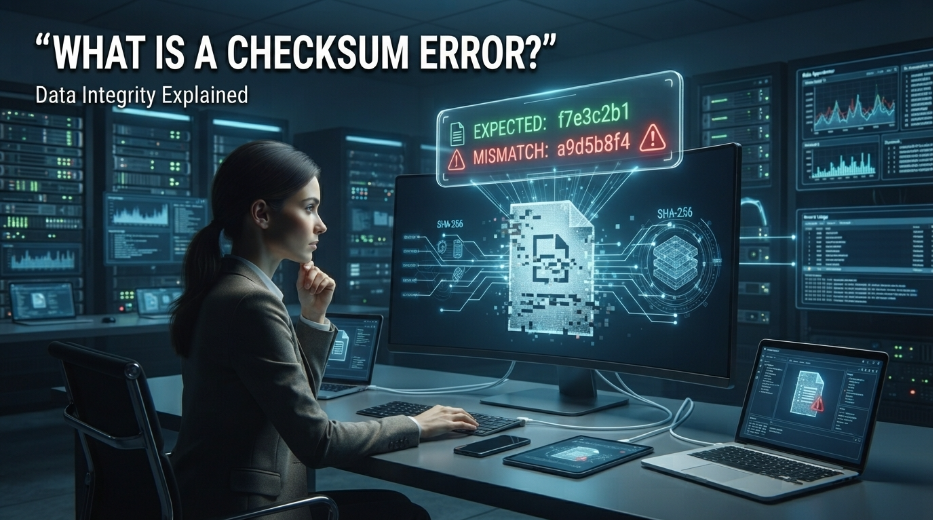
If you are wondering what is a checksum error, it is a message that usually means data has changed, become corrupted, or failed an integrity check. Computers use checksums to verify that information received or stored is the same as the original data.
A checksum can be thought of as a digital fingerprint created from a file or block of data. When the system calculates the checksum again later, it compares the new result with the original value. If the values do not match, you may see a checksum error.
Understanding what is a checksum error can help you troubleshoot corrupted downloads, damaged archives, storage problems, firmware issues, and network transmission errors without immediately assuming that your entire system is failing.
What Is a Checksum Error?
To understand what is a checksum error, it helps to first understand how a checksum works. A checksum is a calculated value generated from a particular set of data. Even a small change in that data can produce a different checksum.
For example, imagine downloading a software file from the internet. The publisher may provide a checksum alongside the download. After downloading the file, your computer can calculate its checksum and compare it with the published value.
If both values match, there is strong evidence that the file has not changed during transmission or storage. If they are different, the system may report a checksum error.
A checksum is therefore an integrity check, rather than a guarantee that the data is safe or completely free from every possible problem.
How Does a Checksum Work?
When learning what is a checksum error, the basic process is relatively straightforward. A mathematical algorithm processes the contents of a file or data packet and produces a fixed-size result.
Different checksum algorithms use different mathematical methods. Some are designed primarily for detecting accidental transmission errors, while stronger cryptographic hash functions are used when much stronger integrity or security properties are required.
The sender and receiver can independently calculate the value. If the calculated results agree, the data is likely unchanged. If they disagree, something happened between the original calculation and the verification stage.
This approach is widely useful because computers can compare a small value instead of examining every part of a large file manually.
What Causes a Checksum Error?
There are several possible reasons behind a checksum error. One common cause is corrupted data. A file may become damaged while being downloaded, copied, transferred, compressed, or stored.
Network problems can also cause transmission errors. If data is altered while traveling between systems, the receiving device may calculate a different checksum.
Storage problems are another possibility. A failing hard drive, SSD, USB device, memory card, or other storage medium can potentially cause data corruption.
Incomplete downloads can also trigger checksum errors. If only part of a file reaches your computer, its calculated checksum will naturally differ from the expected value.
In some situations, the problem is not the data itself but an incorrect checksum value supplied by the source.
Checksum Errors During File Downloads
One of the most familiar situations involving what is a checksum error occurs when downloading software, firmware, disk images, or large archives.
Suppose a developer publishes a file and provides an expected SHA-256 hash. After downloading the file, you calculate its hash locally. If the result differs, the download may have been corrupted or may not be the exact file that was originally published.
Trying the download again is often a sensible first troubleshooting step. If repeated downloads produce different or unexpected results, investigating the connection, browser, download manager, storage device, or source becomes more important.
When downloading important software, it is best to obtain files from the publisher’s official website or another trusted distribution channel.
Checksum Errors in ZIP and RAR Files
Compressed archives can also produce checksum-related errors. When an archive is created, information about its contents is stored in a way that allows the extraction program to detect certain types of corruption.
If part of a ZIP, RAR, or similar archive becomes damaged, extraction software may report a checksum error.
This can happen because an archive was incompletely downloaded, stored on unreliable media, or transferred incorrectly. Sometimes only one portion of a multi-part archive is damaged.
Downloading the affected archive again from a reliable source can resolve the problem. If the original archive itself is damaged, however, another copy may be necessary.
Checksum Errors in Firmware and BIOS Updates
Checksum verification is particularly important when working with firmware. Devices such as routers, motherboards, storage controllers, and other hardware may use integrity checks to verify firmware files.
If a firmware package fails its integrity verification, the device or update utility may refuse to install it.
This behavior is generally helpful because installing corrupted firmware can create serious problems. If you encounter a checksum error during a firmware update, it is better to stop and verify the file rather than attempting to force the installation.
Checking the manufacturer’s official support page for the correct firmware version is an important part of troubleshooting.
Are Checksum Errors Dangerous?
A checksum error itself is not necessarily dangerous. It is primarily a warning that the data did not pass an expected integrity check.
The consequences depend on what the corrupted data represents. A damaged image file may simply fail to open correctly, while corrupted system files or firmware can potentially cause more significant problems.
For this reason, checksum errors should not automatically be ignored. They indicate that something about the expected data and the actual data does not match.
When the affected file is important, replacing it with a verified copy is usually safer than attempting to use potentially corrupted information.
Checksum vs. Hash: What’s the Difference?
People sometimes use the terms checksum and hash interchangeably, but they are not exactly the same.
Traditional checksums are often designed to detect accidental errors efficiently. Cryptographic hash functions, such as SHA-256, are designed with much stronger properties and are widely used for verifying data integrity and supporting security applications.
A checksum can therefore be considered a broad concept for producing a value used to detect changes, while cryptographic hashing is a specialized approach with additional security characteristics.
When researching what is a checksum error, understanding this distinction helps explain why some websites provide SHA-256 or similar hash values rather than calling them simple checksums.
How to Fix a Checksum Error
The appropriate solution depends on where the error appears.
If the problem occurs during a download, downloading the file again from the official or trusted source is often the simplest approach. A different network connection may also help if the original transfer is repeatedly failing.
If an archive produces a checksum error during extraction, obtaining a fresh copy of the archive may resolve the problem. For multi-part archives, every required part should come from the same trusted release.
If the error involves a storage device, checking the device for filesystem or hardware problems may be appropriate. Persistent corruption across multiple files can indicate a deeper storage issue.
For firmware, always verify that the firmware version and device model are correct before trying the update again.
How to Prevent Checksum Errors
Preventing every checksum error is impossible because data corruption can occur for many reasons. However, using reliable storage, stable network connections, trusted download sources, and properly maintained hardware can reduce the likelihood of problems.
For important files, keeping backups is equally valuable. A checksum can tell you that data has changed, but a backup gives you a way to recover the original information.
Organizations can also use integrity verification as part of their file-management and software-distribution processes. This makes it easier to detect unexpected changes before corrupted data reaches critical systems.
Conclusion
So, what is a checksum error? It is an indication that calculated data-integrity information does not match the expected value. The mismatch can result from corrupted files, incomplete downloads, transmission problems, storage failures, or incorrect source information.
Checksum verification is a simple but powerful way to detect unexpected changes. Whether you encounter an error while downloading software, extracting an archive, transferring files, or updating firmware, the message is essentially telling you to verify the data before continuing.
In most everyday situations, obtaining a fresh copy and comparing its checksum or cryptographic hash with the trusted value is a good starting point.
FAQs About Checksum Errors
What is a checksum error in simple terms?
A checksum error means the data you received or stored does not produce the same verification value as the original data.
Why does a downloaded file show a checksum error?
The download may be incomplete or corrupted, or the file may differ from the original version provided by the source.
Can a checksum error be fixed?
Often, yes. Downloading or copying a fresh, verified version of the affected file can resolve the problem.
Is a checksum error a virus?
Not necessarily. A checksum error indicates a data mismatch and does not by itself prove that malware is present.
What is the difference between a checksum and SHA-256?
A traditional checksum is generally intended to detect accidental data changes, while SHA-256 is a cryptographic hash function designed with significantly stronger integrity and security properties.
more blog