If you have explored network settings on a Mac and noticed an option called Thunderbolt Bridge, you may have wondered what is Thunderbolt Bridge and why it appears even when you are not actively using it.
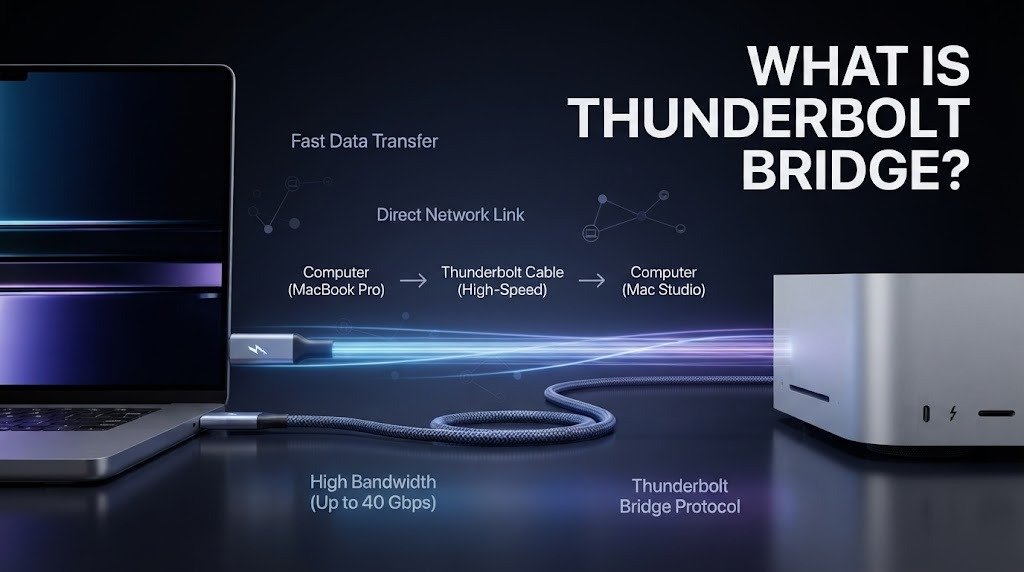
Thunderbolt Bridge is a networking feature that allows compatible Mac computers to communicate directly with each other through a Thunderbolt connection. Instead of sending data through Wi-Fi or a traditional Ethernet network, two computers can use a Thunderbolt cable to create a fast point-to-point network connection.
Understanding what is Thunderbolt Bridge is especially useful for Mac users who transfer large files, work with multiple computers, or need a fast local connection without relying on a conventional network.
What Is Thunderbolt Bridge?
So, what is Thunderbolt Bridge in simple terms? It is a network interface that uses a Thunderbolt connection to allow two compatible computers to communicate over a network.
On macOS, Thunderbolt Bridge can appear as a network service in the system’s network settings. When two compatible Macs are connected using an appropriate Thunderbolt cable, macOS can use that connection for network communication.
Apple describes Thunderbolt as a high-speed interface capable of carrying data and other types of signals through a single connection.
The important distinction is that Thunderbolt Bridge is not a separate physical cable technology. It is a networking capability that operates over Thunderbolt.
How Does Thunderbolt Bridge Work?
To understand what is Thunderbolt Bridge, imagine connecting two Macs directly with a Thunderbolt cable.
Once the physical connection is established, macOS can recognize the Thunderbolt network interface. The computers can then exchange network traffic directly over the Thunderbolt connection.
The operating system treats the Thunderbolt connection as a network interface, similar in concept to Ethernet or Wi-Fi. Applications that use normal network protocols can communicate through it without necessarily needing to know that the underlying connection is Thunderbolt.
This makes Thunderbolt Bridge useful for creating a direct, high-bandwidth connection between compatible computers.
Is Thunderbolt Bridge the Same as Thunderbolt?
No. This distinction is important when searching what is Thunderbolt Bridge.
Thunderbolt is the underlying connectivity technology. It can carry different types of data and signals, depending on the Thunderbolt generation and device.
Thunderbolt Bridge is specifically the networking functionality that allows computers to communicate through a Thunderbolt connection.
A simple way to understand the relationship is to think of Thunderbolt as the highway and Thunderbolt Bridge as one type of traffic that can use that highway.
The same Thunderbolt port can potentially support displays, storage devices, docks, and other peripherals, while Thunderbolt Bridge uses the connection for networking.
What Is Thunderbolt Bridge Used For?
One of the main reasons users investigate what is Thunderbolt Bridge is its ability to provide a direct connection between computers.
For example, someone working with large video projects may need to transfer substantial amounts of data between two Macs. A direct Thunderbolt network connection can be useful when Wi-Fi is too slow or when there is no convenient Ethernet connection.
Thunderbolt Bridge can also be useful for specialized workflows involving multiple computers, direct file transfers, or network-based applications that benefit from a high-speed local connection.
The usefulness depends on the Thunderbolt hardware, cable, operating system, network configuration, and workload.
Thunderbolt Bridge vs. Wi-Fi
When comparing what is Thunderbolt Bridge with Wi-Fi, the biggest difference is how the devices communicate.
Wi-Fi is wireless and connects computers through a wireless access point or router. Thunderbolt Bridge requires a physical Thunderbolt connection between compatible devices.
A wired Thunderbolt connection can provide a very high-bandwidth link and can avoid wireless interference. Wi-Fi, however, is much more convenient because you do not need a physical cable between the computers.
For everyday internet browsing and ordinary file transfers, Wi-Fi is usually simpler. For demanding local data transfers, a direct wired connection can be attractive.
Thunderbolt Bridge vs. Ethernet
Thunderbolt Bridge can also be compared with Ethernet.
Ethernet is a dedicated wired networking technology commonly used for local networks. It can connect many devices through switches and routers, making it suitable for offices, homes, and larger network environments.
Thunderbolt Bridge is more commonly used as a direct connection between compatible computers.
If you need to connect several computers and network devices together, Ethernet is generally more flexible. If you need a fast direct connection between two compatible Macs, Thunderbolt Bridge can be convenient.
Does Thunderbolt Bridge Provide Internet Access?
A common misunderstanding about what is Thunderbolt Bridge is that enabling it automatically provides internet access.
Thunderbolt Bridge itself is simply a network connection between devices. If two Macs are directly connected through Thunderbolt, they can communicate with each other, but that does not automatically mean both computers have internet access.
Internet connectivity depends on how the network is configured.
For example, one Mac could potentially share its internet connection with another computer through macOS’s connection-sharing features, but that is a separate configuration from simply establishing a Thunderbolt Bridge connection.
How Fast Is Thunderbolt Bridge?
The potential performance of Thunderbolt Bridge depends on the Thunderbolt generation and the specific hardware involved.
Thunderbolt versions have evolved significantly over time. Thunderbolt 3 and Thunderbolt 4 provide up to 40 Gbps of total interface bandwidth under their respective specifications, while newer Thunderbolt generations can provide higher capabilities.
Actual network throughput is usually lower than the headline interface bandwidth because of protocol overhead, hardware limitations, storage performance, software, and other factors.
This means users should not assume that a “40 Gbps” Thunderbolt connection will produce 40 Gbps of real-world file-transfer speed.
Intel provides technical information about Thunderbolt technology and its capabilities through its official Thunderbolt resources.
Does Thunderbolt Bridge Work on Windows?
The answer depends on the hardware and software configuration.
Thunderbolt networking has historically been particularly visible in Apple’s macOS ecosystem, where Thunderbolt Bridge is presented as a network service.
Windows computers can support Thunderbolt hardware and networking-related functionality, but the exact capabilities depend on the computer manufacturer, Thunderbolt controller, drivers, operating system version, and network configuration.
Therefore, users should check their specific computer’s documentation before assuming that a Windows system will provide the same Thunderbolt Bridge experience as macOS.
Why Is Thunderbolt Bridge Showing on My Mac?
If you see Thunderbolt Bridge in your Mac’s network settings even though you have never intentionally used it, there is usually no reason to be concerned.
macOS can include Thunderbolt networking as a network service because the computer supports the relevant Thunderbolt functionality.
The presence of the interface does not necessarily mean that a Thunderbolt network connection is currently active.
If no compatible Thunderbolt connection is being used, the interface may simply remain available for when you need it.
Should You Disable Thunderbolt Bridge?
For most users, there is usually little reason to disable or remove Thunderbolt Bridge simply because it appears in network settings.
If you regularly use Thunderbolt devices or occasionally connect two Macs directly, keeping the network service available can be convenient.
If you are troubleshooting a network configuration, however, temporarily disabling unused network services may sometimes help simplify the setup.
Before changing advanced network settings, it is a good idea to understand what the service does and keep track of any changes you make.
Is Thunderbolt Bridge Safe?
Thunderbolt Bridge is a legitimate networking feature, but security still matters whenever computers are connected directly.
A direct connection allows devices to communicate with each other, so normal operating-system security controls, permissions, firewall settings, and trusted-device practices remain important.
Users should also keep macOS and device firmware updated and avoid connecting unknown hardware to their computers.
The technology itself is not inherently unsafe simply because it creates a direct network connection.
Final Thoughts on What Is Thunderbolt Bridge
So, what is Thunderbolt Bridge? It is a macOS networking feature that allows compatible computers to communicate directly over a Thunderbolt connection.
Rather than relying on Wi-Fi or traditional Ethernet, Thunderbolt Bridge uses the high-speed Thunderbolt interface as a network connection. This can be particularly useful for direct computer-to-computer communication and large local data transfers.
The most important thing to remember when researching what is Thunderbolt Bridge is that it is not the same thing as Thunderbolt itself. Thunderbolt is the underlying high-speed connectivity technology, while Thunderbolt Bridge is a networking function that operates over it.
For everyday users, you may never need to configure Thunderbolt Bridge manually. But for professionals, creators, and anyone transferring large amounts of data between compatible Macs, it can be a powerful and convenient networking option.
FAQs About What Is Thunderbolt Bridge
What is Thunderbolt Bridge on a Mac?
Thunderbolt Bridge is a network interface that allows compatible Macs to communicate directly through a Thunderbolt cable.
Is Thunderbolt Bridge the same as Wi-Fi?
No. Wi-Fi is wireless, while Thunderbolt Bridge uses a physical Thunderbolt connection for network communication.
Can Thunderbolt Bridge provide internet?
Not automatically. It creates a network connection between compatible computers. Internet sharing requires additional network configuration.
Can I remove Thunderbolt Bridge from my Mac?
You generally do not need to remove it. It can remain available as a network service even when you are not currently using it.
Is Thunderbolt Bridge faster than Wi-Fi?
It can provide much higher potential bandwidth than many Wi-Fi connections, particularly with newer Thunderbolt hardware, but actual performance depends on the equipment and network configuration.
more related blog