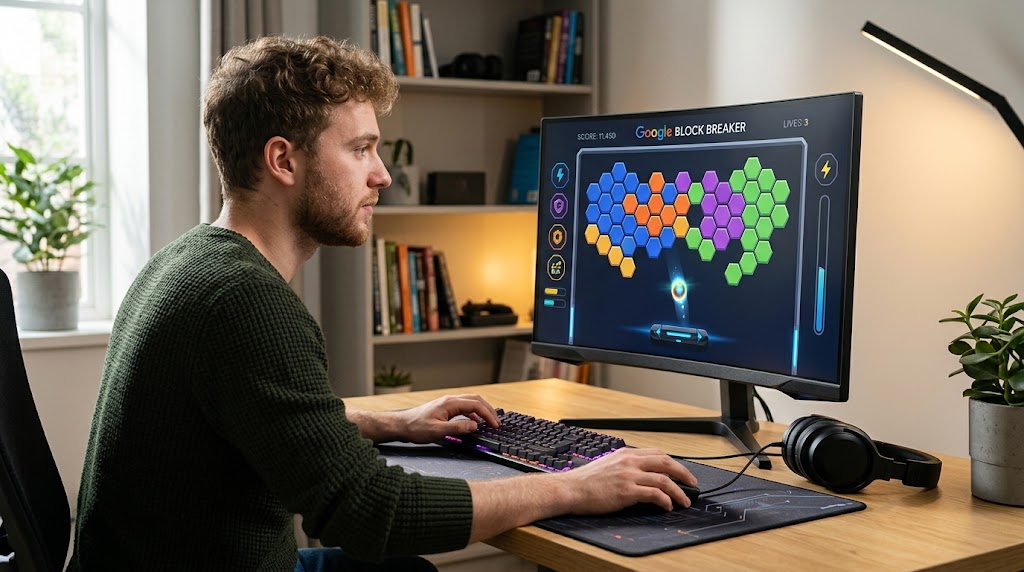
If you enjoy quick arcade games, Google Block Breaker is an easy way to enjoy classic brick-breaking gameplay directly in a browser. The basic idea is simple: control a paddle, keep a bouncing ball in play, and destroy blocks before you lose your chances.
The phrase Google Block Breaker can also be confusing because several websites use the name for browser games inspired by classic Breakout-style gameplay. Google has also had different interactive games and Easter eggs over the years, so it is useful to understand exactly what you are playing.
This guide explains the gameplay, controls, strategies, history, and common questions surrounding Google Block Breaker in a straightforward way.
What Is Google Block Breaker?
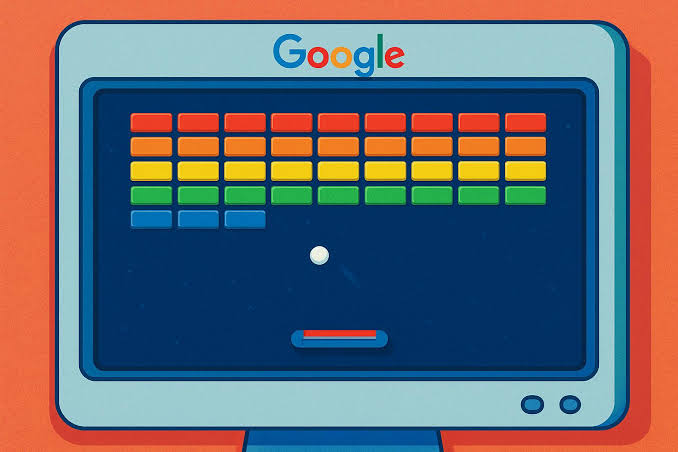
Google Block Breaker refers to a modern browser-based take on the classic brick-breaker concept. The gameplay centers on a paddle positioned near the bottom of the screen and a ball that moves around the playing area.
Your objective is to keep the ball from passing your paddle while directing it toward blocks above. When the ball hits a block, the block is damaged or destroyed, depending on the version you are playing.
Several current websites describe versions of Google Block Breaker with multiple levels, power-ups, and increasing difficulty. Because these versions are hosted by different sites, their exact features can vary.
How Does Google Block Breaker Work?
The appeal of Google Block Breaker comes from its simple controls and progressively challenging gameplay. At the beginning, players generally have plenty of room to react to the ball.
As gameplay becomes faster or more complicated, positioning becomes increasingly important. Instead of simply following the ball with your eyes, you need to anticipate where it will return to the paddle.
On desktop computers, versions of the game commonly support the left and right arrow keys or mouse movement. Touch controls may also be available on phones and tablets, depending on the particular browser version.
The Connection to Atari Breakout
One reason Google Block Breaker is associated with Google is the company’s famous Atari Breakout Easter egg.
In 2013, Google created an interactive Atari Breakout experience in Google Images to celebrate the 37th anniversary of the original arcade game. Searching for Atari Breakout could transform image-search results into a playable brick-breaking experience.
However, that historical Atari Breakout Easter egg should not automatically be treated as identical to every modern game called Google Block Breaker. Current online versions may be independently hosted recreations or games inspired by the same classic mechanics.
This distinction is important because many articles and gaming sites use similar names when describing different versions.
How to Play Google Block Breaker
Playing Google Block Breaker is straightforward. Once the game loads, you control the horizontal movement of the paddle.
The ball travels upward toward the blocks and eventually returns toward the bottom of the screen. Your job is to move the paddle into position so the ball bounces back into the play area.
The angle of the bounce can affect where the ball travels next. Experienced players therefore do more than simply place the paddle underneath the ball. They try to influence the ball’s direction and create better opportunities to reach difficult areas.
Some versions also include power-ups. These can provide advantages such as a larger paddle or multiple balls, although the exact mechanics depend on the version.
Google Block Breaker Controls
The controls in Google Block Breaker are designed to be easy for beginners.
On a computer, the left and right arrow keys can typically move the paddle horizontally. Mouse controls may provide another way to position it precisely.
On compatible mobile versions, players can use touch or dragging gestures to move the paddle. The exact control scheme may differ between websites, so checking the game’s instructions is useful before starting.
The simplicity of the controls is one reason brick-breaker games remain accessible to players who do not regularly play complex video games.
Strategies for Better Google Block Breaker Scores
Improving at Google Block Breaker is less about pressing buttons quickly and more about learning how the ball behaves.
One useful technique is to pay attention to the paddle’s edges. Depending on the game’s physics, striking the ball away from the center can change its trajectory and create sharper angles.
Another helpful approach is to think ahead. When the ball travels toward the upper portion of the screen, watch its direction and begin anticipating its return rather than waiting until the final moment.
Power-ups can also make a major difference in versions that include them. A larger paddle can provide additional room for error, while multiple balls may allow blocks to be destroyed more quickly.
Why Google Block Breaker Is So Popular
The popularity of Google Block Breaker comes largely from its simplicity. Players do not need to understand complicated controls or spend a long time learning the rules.
A short session can provide a quick break, while higher difficulty can encourage players to keep trying for better results.
There is also a strong nostalgic element. Brick-breaker games are closely connected with the history of arcade gaming, making the basic paddle-and-ball formula familiar to several generations of players.
The combination of nostalgia, quick gameplay, and increasing difficulty gives Google Block Breaker a straightforward but satisfying appeal.
Can You Play Google Block Breaker on Mobile?
Many browser-based versions of Google Block Breaker support mobile devices. Touch-based controls allow players to move the paddle by dragging across the screen.
However, compatibility depends on the particular version and website. A game described as Google Block Breaker on one website may not have exactly the same interface or features as another.
For the best experience, use a modern browser and avoid unofficial pages that request unnecessary downloads, browser extensions, or suspicious software.
Is Google Block Breaker Free?
Many versions of Google Block Breaker available online are presented as free browser games. Some third-party versions may have advertising or other website-specific features.
It is important to distinguish a browser game from an official Google product. The name “Google Block Breaker” is widely used online, but not every website using that phrase is operated by Google.
If a website asks you to install unknown software before allowing you to play, it is better to leave the page rather than download something unnecessary.
Google Block Breaker vs. Classic Breakout
The relationship between Google Block Breaker and classic Breakout is easy to understand.
Both use the fundamental idea of a paddle, a bouncing ball, and destructible blocks. The player must maintain control of the ball while gradually clearing the playing field.
Modern versions can add features such as power-ups, different block types, multiple balls, additional stages, or changing difficulty.
That means Google Block Breaker is best understood as part of the broader brick-breaker tradition rather than as a completely new gaming concept.
Conclusion
Google Block Breaker offers a modern way to enjoy the timeless paddle-and-ball arcade formula. Its simple controls make it approachable for beginners, while ball angles, positioning, power-ups, and increasing difficulty can provide a meaningful challenge for experienced players.
The term Google Block Breaker can refer to different browser experiences, so players should pay attention to which version they are using. It is also worth remembering the distinction between Google’s historical Atari Breakout Easter egg and independently hosted modern block-breaker games.
Whether you are looking for nostalgia or simply want a quick browser game, Google Block Breaker captures the basic appeal of classic arcade gameplay: easy to learn, difficult to master, and satisfying when the blocks finally disappear.
FAQs About Google Block Breaker
What is Google Block Breaker?
Google Block Breaker is a browser-based brick-breaking style game in which players control a paddle and bounce a ball into blocks.
Is Google Block Breaker free?
Many online versions are free to play in a browser, although third-party websites may use advertising or different features.
Can I play Google Block Breaker on my phone?
Yes, many browser versions support mobile devices with touch controls, although compatibility varies between versions.
Is Google Block Breaker the same as Atari Breakout?
Not necessarily. Google’s 2013 Atari Breakout Easter egg was a specific Google Images experience, while modern games using the Block Breaker name may be separate browser implementations.
How can I get better at Google Block Breaker?
Focus on anticipating the ball’s return, controlling its angle with paddle positioning, and using available power-ups strategically.