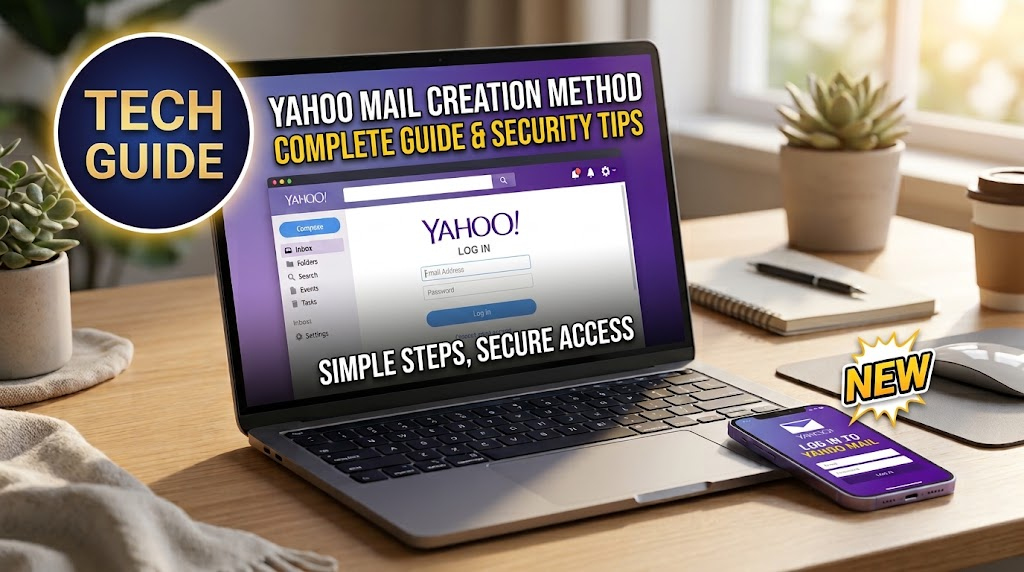
Yahoo.com email remains a widely recognized email service for personal communication, online accounts, newsletters, shopping receipts, and everyday messages. Yahoo Mail can be accessed through a web browser, mobile devices, and supported third-party email applications.
For anyone searching for Yahoo.com email, the most common questions involve signing in, creating a new address, recovering a forgotten password, accessing messages on a phone, and protecting an account from unauthorized access. Yahoo provides official tools and help resources for each of these needs.
This guide explains how Yahoo.com email works, where to access it, how account recovery works, and what users should know about security.
What Is Yahoo.com Email?
A Yahoo.com email address is an email account provided through Yahoo Mail. A typical address uses the Yahoo domain and can be used to send and receive electronic messages through Yahoo’s mail service.
Yahoo Mail is part of the broader Yahoo account ecosystem. A Yahoo account can provide access to services such as Yahoo Mail, Yahoo Finance, Yahoo Sports, Yahoo News, and other Yahoo products.
The service is designed for both browser-based and mobile use, making it possible to access the same mailbox from different devices.
How to Sign In to Yahoo.com Email
Signing in to Yahoo.com email is straightforward when you have your Yahoo ID or email address and password.
Yahoo’s official instructions explain that users can select the Sign In option on a Yahoo page, enter their Yahoo ID, continue, and then provide their password.
For direct access to your mailbox, use the official Yahoo Mail website. Yahoo recommends using its own website or official applications for secure access to Yahoo Mail.
If you are using a public or shared computer, remember to sign out when finished. Yahoo specifically recommends logging out after accessing an account from another computer.
How to Create a Yahoo.com Email Account
Creating a new Yahoo.com email account requires going through Yahoo’s official registration process.
Yahoo’s current account-registration guidance asks users to provide information such as a password, date of birth, and mobile number, followed by verification of the phone number.
During registration, you can choose an available Yahoo email address. Because popular names and combinations may already be taken, you may need to select an alternative username.
When creating an account, choose an address that is easy to remember but appropriate for the way you plan to use it. A professional-looking email address can be particularly useful for employment, education, and business communication.
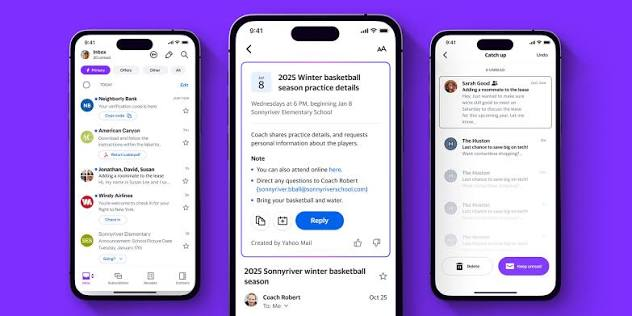
Accessing Yahoo.com Email on a Phone
Modern smartphones make accessing Yahoo.com email convenient. Users can access Yahoo Mail through a mobile browser, the official Yahoo Mail app, or a supported built-in email application.
Yahoo recommends its official Yahoo Mail app for mobile access. The company also explains that Yahoo accounts can be added to compatible phone mail applications.
If you prefer a browser, you can visit Yahoo Mail from your phone and sign in normally. This can be useful if you do not want to install another application.
Recovering a Forgotten Yahoo Password
Forgetting the password to a Yahoo.com email account does not necessarily mean losing access permanently.
Yahoo provides a Sign-in Helper designed to help users recover their accounts. Depending on the information available on the account, the recovery process can use a recovery email address or phone number.
If you cannot remember your Yahoo ID, the Sign-in Helper can also assist with locating the account when appropriate recovery information is available.
Keeping recovery information current is therefore extremely important. An outdated phone number or inaccessible recovery email can make account recovery more difficult.
What to Do If Yahoo.com Email Will Not Sign In
Sometimes a Yahoo.com email login can fail even when you believe the information is correct.
An incorrect Yahoo ID or password is one possibility. Other problems can involve browser cookies, unfamiliar devices, security verification, or account activity that Yahoo considers unusual.
Yahoo recommends trying its official troubleshooting process, which can include clearing browser cookies, restarting the browser, using another supported browser, or using a different Yahoo sign-in page.
If Yahoo asks for additional verification, this can be a security measure rather than an indication that your account has been permanently locked. Yahoo may request verification when it detects unusual activity, an unfamiliar browser or device, or other circumstances that require additional confirmation.

Yahoo.com Email Security
Security should be a priority for every Yahoo.com email user because email accounts often contain personal conversations, documents, receipts, and password-reset messages for other services.
Yahoo recommends using a strong, unique password, keeping recovery information updated, and enabling two-step verification.
Two-step verification adds an additional layer of protection beyond the password. Depending on the setup, Yahoo can require another verification method when someone attempts to access the account.
Yahoo also provides security alerts and other features designed to help identify potentially suspicious activity.
How to Recognize a Compromised Yahoo.com Email Account
Unexpected changes can sometimes indicate that a Yahoo.com email account has been compromised.
Users should pay attention to unfamiliar email filters, changes to the sending name, unexpected signatures, unknown reply-to addresses, unfamiliar forwarding addresses, or other settings they did not make. Yahoo specifically recommends reviewing these settings if an account may have been compromised.
If you suspect unauthorized access, Yahoo recommends changing the password, removing unfamiliar app passwords, checking recovery information, reviewing mail settings, and enabling two-step verification.
It is also important to avoid clicking suspicious links in emails claiming to be from Yahoo.
Using Yahoo.com Email With Other Mail Apps
Some users prefer managing multiple accounts through an application such as Apple Mail, Gmail, Outlook, or another supported email client.
Yahoo supports secure methods for accessing Yahoo Mail through compatible third-party applications. However, older applications that use outdated authentication methods may not work correctly. Yahoo explains that outdated apps can be blocked because they may expose accounts to security risks.
If your third-party application stops working, removing and re-adding the Yahoo account using the Yahoo provider option may restore secure authentication. In some situations, Yahoo may require an app password for a third-party application.
Yahoo.com Email and Spam Protection
Spam is a common issue for almost every email service, including Yahoo.com email.
Yahoo Mail provides spam-related protections and alerts designed to help users identify potentially unwanted or suspicious messages. Yahoo explains that certain messages may be identified as spam and that users can take action when they recognize unwanted mail.
Users should remain cautious even when an email appears convincing. Messages requesting passwords, payment information, verification codes, or other sensitive details deserve particular attention.
Yahoo states that it does not ask users for their passwords through emails or phone calls.
Yahoo.com Email for Everyday Communication
A Yahoo.com email account can be used for many everyday purposes, including personal correspondence, online registrations, newsletters, shopping notifications, travel confirmations, and communication with organizations.
For users who maintain multiple online accounts, an established email address can also serve as a central communication point.
However, it is wise to keep important accounts organized. Using folders, filters, contacts, and other available mailbox features can make a busy inbox easier to manage. Yahoo’s Help Center provides guidance covering filters, contacts, attachments, mail organization, and other features.
Official Yahoo Help for Email Problems
When troubleshooting Yahoo.com email, users should be careful about unofficial websites that claim to provide Yahoo customer support.
Yahoo advises users to make sure they are using Yahoo support websites with addresses ending in yahoo.com. Its Help Center includes information about account recovery, passwords, security, mail settings, and other common problems.
The official Yahoo Help Center is the best place to start when you need assistance with a Yahoo account.
For a website publishing this article, relevant internal links could include existing pages about email security, password management, online privacy, phishing protection, and account recovery. These should point only to genuine pages on the same website.
Conclusion
Yahoo.com email continues to provide a practical way to send, receive, and organize messages across computers and mobile devices. Users can access Yahoo Mail through the official website, mobile applications, and compatible third-party email clients.
Whether you need to sign in, create an account, recover a password, or improve security, Yahoo provides official resources for these common tasks.
The most important habits are simple: use the official Yahoo website or application, maintain accurate recovery information, create a strong unique password, enable additional security where available, and remain cautious about suspicious messages.
For current account problems, always rely on Yahoo’s official Help Center rather than unofficial websites claiming to represent the company.
FAQs About Yahoo.com Email
How do I access Yahoo.com email?
Go to the official Yahoo Mail website and sign in with your Yahoo ID or email address and password.
How can I recover my Yahoo email password?
Use Yahoo’s Sign-in Helper and follow the recovery instructions using your available recovery email address or phone number.
Can I use Yahoo.com email on my phone?
Yes. Yahoo Mail can be accessed through the official mobile app, a mobile browser, or compatible built-in email applications.
How can I protect my Yahoo.com email account?
Use a strong unique password, keep recovery information updated, and enable two-step verification for additional protection.
Is Yahoo.com email free?
Yahoo provides free Yahoo Mail accounts, although Yahoo also offers additional paid features through Yahoo Mail Plus in supported regions.